Logo
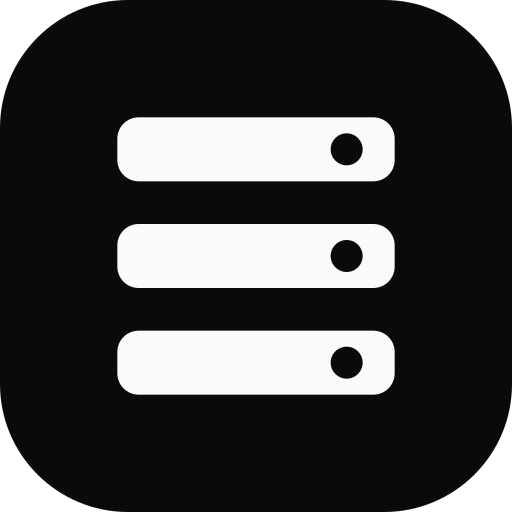
The Tinyrack logo condenses a three-bay home rack into a monochrome mark built for compact operational interfaces.
Use the supplied artwork without recreating, recoloring, or rearranging it. The primary lockup names the master brand as Tinyrack; product names such as Tinyrack UI remain separate interface copy.
Choose the asset and result

- Name Tinyrack: choose the lockup when the surface does not already identify the brand.
- Use a compact brand cue: choose the mark only when Tinyrack is named nearby.
- Fill a square container: choose the app icon for favicons, launchers, and service avatars.
- Expected result: use one supplied SVG unchanged and keep product names as separate interface text.
Variants
Choose the smallest approved variant that still establishes the brand in its context.


Color and backgrounds
The identity is deliberately achromatic. Color belongs to product status and interaction, not to the logo.
#0a0a0a on white or near-white backgrounds.
#fafafa on black or near-black backgrounds.Do not place either version on a busy image, gradient, or surface where its rack bays and status apertures lose definition.
Clear space
Let x equal one quarter of the mark height. Keep at least x of empty space on every side of the mark or lockup; screen edges, text, rules, and other logos must stay outside that boundary.
Mark: clear space is 25% of the rendered mark height.
Lockup: measure x from the mark, then apply the same distance around the full lockup.
More space is welcome. The rule defines the minimum, not a preferred container size.
Minimum size
Minimum sizes protect the negative-space indicators and wordmark counters. Switch to the mark instead of shrinking the lockup below its limit.
16px square.112px.Placement
Use the lockup once per surface and place it at a stable edge of the composition. Top-left is preferred for left-to-right interfaces; centered placement is appropriate for launch, loading, and end-frame contexts. Use the mark for repeated compact surfaces such as favicons and service avatars.
Keep product, project, or partner names outside the lockup clear space. Write Tinyrack UI as normal interface text rather than extending or typesetting a new logo.
Accessibility
When the logo is the only content of a link, use alt="Tinyrack" so the link has a concise accessible name. Use an empty alt attribute when nearby text already names Tinyrack and the image would be redundant.
<a href="/">
  <img src="/brand/tinyrack-lockup.svg" alt="Tinyrack" width="156" height="38" />
</a>
Do not put additional wording in the alt text to describe the rack drawing. The accessible name identifies the brand; the page copy explains the artwork.
Misuse
Anatomy and construction
The mark uses three stacked rack bays with aligned status apertures. In the lockup, the outlined IBM Plex Sans SemiBold wordmark, mark, and fixed spacing form one piece of artwork. Do not typeset, separate, or rearrange those parts.
Localized lockups
Korean surfaces use the Korean lockup; every other language uses the Latin one. Choose it by the language of the surface, not by the reader's browser.
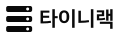
The Korean lockup is built on the same grid: the same mark at the same inset, the same 38-unit height, and the same gap before the wordmark. Its wordmark is outlined IBM Plex Sans KR SemiBold, sized so its inked height matches the Latin cap height. Because Korean glyph widths differ from the Latin wordmark, its canvas is narrower — scale it by height, never by a fixed width.
Every rule above applies unchanged. The Korean wordmark is outlined artwork, so it must not be typeset as live text either.
Downloads
Use SVG for every digital application. These files contain outlined artwork and need no installed font or runtime stylesheet.
Choose PNG only when a surface cannot accept SVG, such as a slide deck, a store listing, or a social profile. Every PNG is rendered from the same SVG master onto a transparent background, so the inverse artwork stays legible on dark surfaces. A square asset is labeled by its side length; a lockup is labeled by its height, because its width follows the artwork.











The same artwork ships with @tinyrack/ui. Import it from a brand subpath when your build tool should copy and fingerprint the file.
import tinyrackIconUrl from '@tinyrack/ui/brand/tinyrack-app-icon-512.png';
import tinyrackLogoUrl from '@tinyrack/ui/brand/tinyrack-lockup.svg';